

Guidelines for Newsletter Ads
To help you design a successful newsletter ad, we’ve compiled a few tips along with the technical specifications for content submission. In our experience, ads that closely mirror the design of our editorial newsletter tend to have higher click-through rates.
All character limits include spaces.
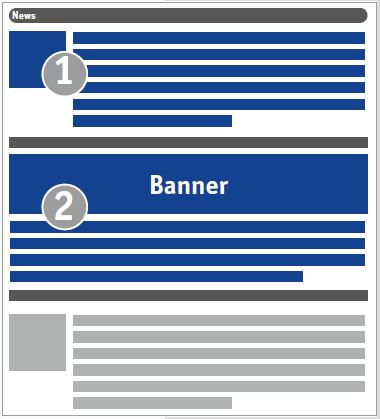
Text-and-Image Ad
1. Headline
The headline should grab the reader’s attention.
Max. 60 characters
2. Teaser Text
The teaser text should pique the reader’s curiosity.
Plain text only—no links, no all-caps, no superscripts or subscripts, no bulleted lists
Max. 300 characters
3. Link Text / Call to Action
Use the call to action to encourage the reader to click.
Max. 40 characters, including spaces
4. Target URL
To link to your website or landing page.
5. Image for Text Ad
5.1 Image size
Images are delivered in the following sizes:
- Square next to the text: 150 x 150 pixels, or
- Landscape format above the text: 560 x 100 pixels
5.2 Image Quality
The standard resolution is 72 dpi.
Retina-ready: If you want your image to appear in high quality on Retina displays, triple the image size. Note, however, that the image will still be delivered in the formats listed above, so no additional space will be created for the display.
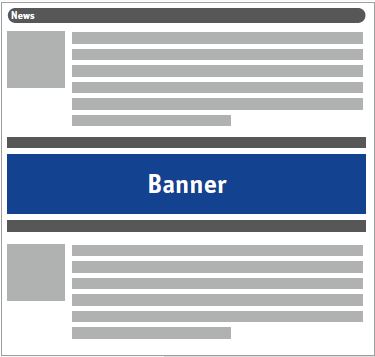
Banners in the newsletter
Please provide an image file for the banner in JPG or PNG format, with dimensions of 560 x 100 pixels and a resolution of 72 dpi.
Retina-ready: see above
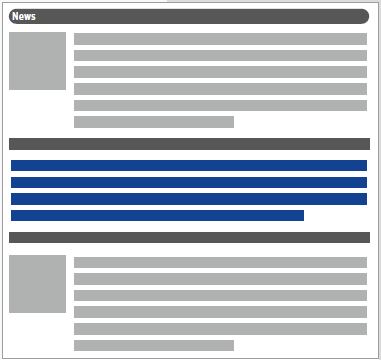
Text display in the newsletter
Please provide the above-mentioned components 1 through 4 for the text ad in a single Word document.
File Formats
Images: Please submit your images in jpg, png, or gif format and indicate the order as well as any accompanying text (captions, copyright information, etc.).
Texts: Please submit your texts as Word documents
Submission of Your Data
Please submit the collected content by the deadline specified in the order confirmation or data request via email to: